Pages

Books We Are Reading In Class

Eastwood Public School

Windsor, Ontario, Canada

Global Read Aloud

We will be participating in the Global Read Aloud Project. We will be reading Marty Mcguire in the month of October and connecting with other classes about the book.

Primary Blogging Community

Each primary classroom will spend some time visiting the focus class' blog for a week, leave comments etc.

Class Wordle

We used Wordle to describe our classroom.

Wednesday, May 29, 2013

Offering Your Students Choice = Student Success

If you read my blog or follow me on Twitter, you know that I run an inquiry based program (most of the time).  I also let my students choose what apps they use when explaining their learning.  We all have favourite apps that we use.  My students do too.  I give them the opportunity to try different content creation apps out and have them available.  The ones they choose to use is up to them.

It has been a frog frenzy in my room the past couple of weeks.  It all started when I brought in 7 tadpoles (and a crayfish that we didn't see until a week later) that my family and I caught in a ditch near our house.  We have tweeted about them, we have a live webcam set up on my class website because my students wanted to show their peers on Twitter and be able to check up on them while they were at home.  We also have done a lot of research about them.
                                                                When I thought that our frog frenzy was calming down, a                                                                                                                                        
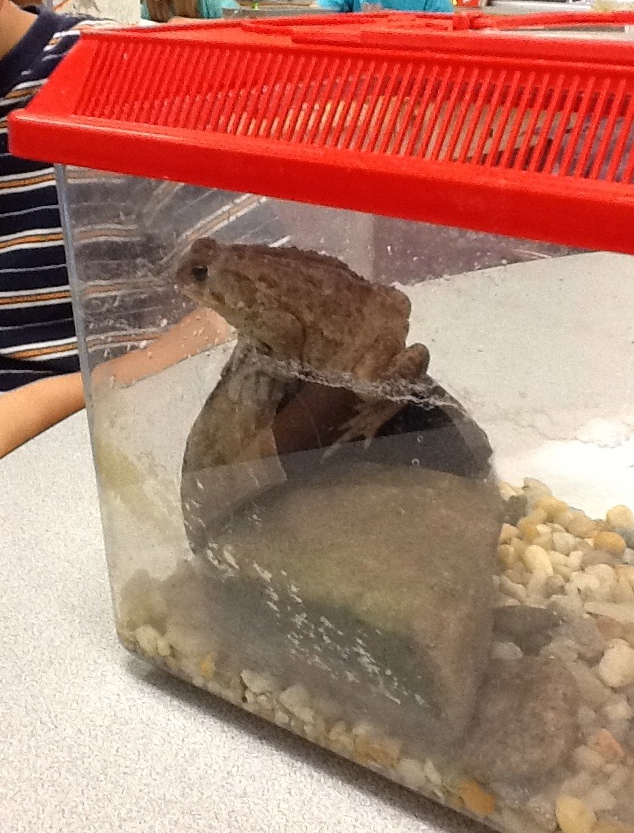
student in my class brought in a toad.... in a little cage.  A rather large toad.... my students wanted to name the toad and keep it as a class pet.  First of all, it is against board policy to have any pets in our classroom.  Besides that, I felt bad for this little fella.  How was I going to persuade my class to let this toad go?  I wanted the decision to come from them, not because I told them no.  I decided it would be a great way to get a little more science curriculum in and teach about habitats.

I started with 2 Essential Questions:

1.  What is a habitat?
2.  What kind of habitat does a frog/toad need to survive?

I am happy to say that our little friend the toad, (we did not name him) was let back into his original habitat that day.  It took less than half an hour of research and discussion for one of my kiddies to share with the class that we needed to let our toad go because the cage that we had him in was not an adequate habitat for him.  Hallelujah!  My students came up with the reasons and the decision on their own to let the toad go!  I didn't have to be the bad guy and tell them that we couldn't keep the toad!

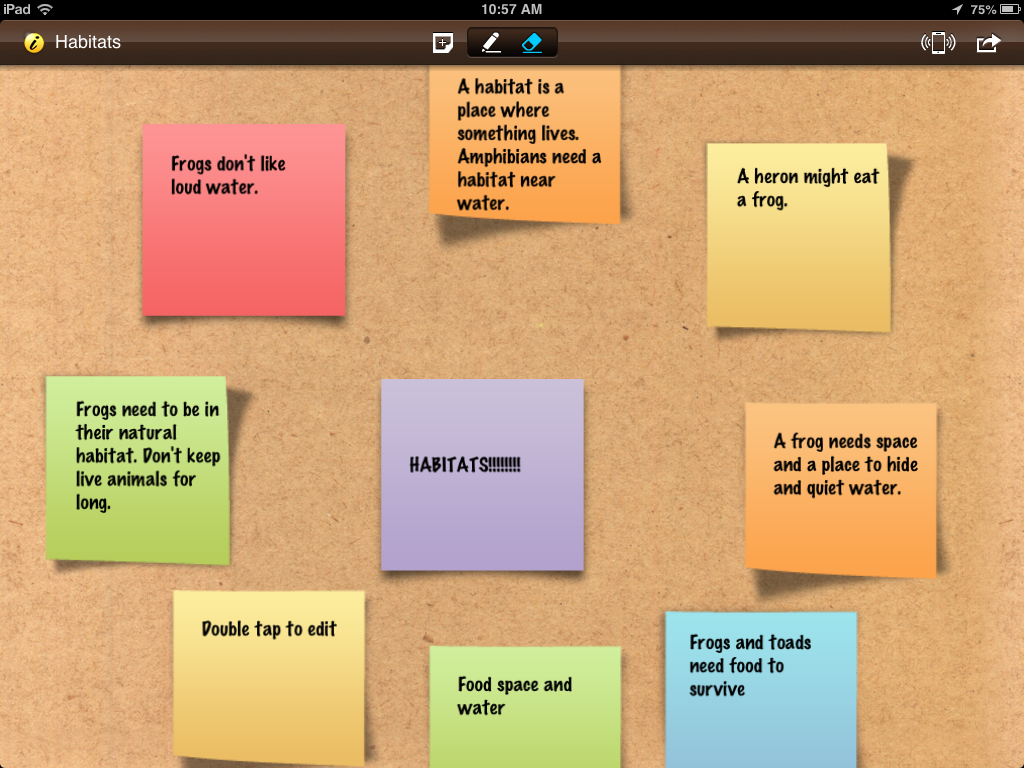
A student in my class used iBrainstorm to create this. (Look at the green sticky on the left hand side!)

I wanted to continue the conversation and research we had begun on habitats.  The students agreed and wanted to share what they had learned about habitats.  I told them that they could share their learning of habitats in any way they choose.  The only stipulation was that they needed to answer the two essential questions.  I figured this would take 2 days.  One day to create the project and one day to share.

Well, for 4 straight literacy classes, my students were focused, were engaged and were amazing!  Each morning I would do a short mini lesson, one day it was on presentation skills, one day it was on habitats, and one day I showed them the rubric I created, that I would use to mark their presentations.
I had grade 1 students writing little sticky notes to remind them what to talk about during their presentations.  I had other students who chose to use chart paper and drew a huge picture of a frog/toad habitat, with labels and notes written on the back so when they presented they would hold their picture up and they would be able to see their notes.  I had others that created books about habitats on the iPads using book creator and others that drew pictures in the app Show and Tell, then uploaded the picture into Explain Everything and recorded their learning that way.  Some children chose to work alone, while others worked in pairs.  Did I have a few students that needed help?  Of course, however, out of 40 students, there was only a handful that need extra guidance.  They truly amazed me.


When it was time to present they stood up at the front of the class confidently and shared their information.  The students that used the iPads used the Apple T.V with ease and finesse.  The students that created posters spoke proudly about their projects.


The common thread with all of these projects?  It didn't matter how my students chose to share out their learning.  They had all mastered the concept.  In every presentation, the students answered the two essential questions.  They were all successful!  As I reflect on this process, I think there were many reasons why all of my students were successful at this task.

1.  It was authentic.  They had a real problem, "What does this toad need to survive in our classroom?" 2.  It was something they were interested in.
3.  They got to CHOOSE how they presented it.
4.  Learning this way is FUN!

My good friend Karen Lirenman feels very strongly about letting her little ones choose how they show their learning.  She has written many great blog posts about it here.  I want to give her a shout out....you are right again friend!  There is no turning back now!  I have gone to the other side and I just wish that I had done it sooner!

Wednesday, May 22, 2013

A Day In The Life Of A Connected Classroom

I had a group of teachers visit my classroom last week. They were there to see how we incorporate technology in meaningful ways into the primary classroom. I had a couple of teachers ask me if I had a schedule of what we do throughout the day to give to them. Alas a blogpost is born. So, here it is, a day in my room without you actually having to visit me! (I am taking the day that my visitors came in and writing what we did that day)

8:30 Entry

Students enter school and write a short message in their agendas.  On Tuesdays and Thursdays students read  or give mini lessons to their parents on the iPads in our Learning Commons.  For those students that don't have a parent come in they may blog, read independently or with a partner until 9:00.  On Mondays, Wednesdays and Fridays students choose to blog, read or write until 9:00.  Many students chose to blog about our new tadpoles in our classroom that day.
A screenshot of one of my student's blog posts 


9:00 Twitter Review - Reading Mini Lesson

If there are any mentions or interesting tweets on the class Twitter account, we read the tweets and respond.  On this particular day, we had some interesting tweets from a class in Singapore responding to our tweets about our new tadpoles.


After we read and responded to some tweets we were ready for our reading mini lesson. I have been teaching the students the difference between on the page and off the page questions.  I have taught the students that sometimes the answer is right in the book.  If we can put our finger or fingers on the answer, its called an on the page question.  The answer is right on the page.  We just need to use evidence from the text.  When the book doesn't tell us the exact answer/ when we can't put our finger on the answer/ when we have to add our ideas to help us answer the question then we use AEO and it is called an OFF the page question.  You need to use evidence from the text to answer the questions along with your own ideas.  I went over our anchor chart and I told them that they were going to be detectives  that day and they were going to figure out what type of question I was asking.  I was using the fabulous book, "Tuesday" by David Wiesner which is nearly a wordless book.  Because the book had very few words, I decided to read the book to the class first without asking any questions.   My students used the comprehensions strategies they have learned throughout the year and wrote about their thinking using todaysmeet while I read the story.  I made book marks with a QR code on them that took them to todaysmeet.  
Bookmark

Examples of students' responses while I read the story.


I then reread the story asking the following questions while the students saw the pictures up on the smart board. (I scanned the pictures so the students could view the pictures larger as we discussed the questions.)
  1. What time is it?
  2. What do you think the Detective is thinking?  What type of question am I asking?
  3. What trouble do the frogs get into?  Use evidence from the text to explain your answer.

9:30 - Literacy Stations

Students are grouped in pairs and go to 1 station per day.  Here is a list of my literacy stations.  I have 2 literacy station groups for differentiation. 

Group 1
1. Word Work A - Write the room
2. iPads - blogs
3. Science Station
4. Writing - Write About this app
5. Reading-Buddy reading
6.  Smartboard - ABCya.com  spelling practice
Group 2
1. Fluency Station - Audio Boo - You read to me i'll read to you
2. Writing -  Write about this app
3. iPads - Blogs 
4. Science Station
5. Insect Write the room
6. Library - reading buddies
I will share a description of a few of these stations:

Science Station

Download Instructions Sheet Here


Download Observation Sheet Here


Fluency Station

Download This Station Here

Writing Station

Download The Instructions Sheet Here

10:10 - 10:50 Nutrition Break

10:50 - 11:40 Prep

11:40 - 12:30 - Writing

Students are learning how to write fairytales and are learning about beginning, middle and end of the story.  My teaching partner, Mrs. Belanger, read the students a different version of Goldilocks And The Three Bears.  She then had them show the beginning, middle and end using the Popplet app:


12:30 - 1:10 Nutrition Break

1:10 - 2:05 Math

We usually have silent reading for 20 minutes, however on this day we were writing math problems to share on Twitter with Mrs. Degroot's class.  We tweeted math problems and solved math problems on Twitter until 1:35 then skyped with Mrs. Degroot's class and we exchanged math problems via Skype.


2:05 - 2:50 Art

On all other days we do math stations during this time.  However, on Wednesdays we have Art.  On this particular day we read "A Color Of His Own" By Leo Lionni and students created and painted a chameleon.

2:50 - Dismissal

Phew....that was a long blogpost!  Hopefully you gained a little bit of insight of what goes on in my very busy classroom!  

Monday, May 20, 2013

Why Have A Class Twitter Account?

I wanted to share some of the ways my class uses their classroom Twitter account.  Up until this year, I tweeted the things we do in our classroom on my personal Twitter account.  However, I wanted my students to take ownership of the learning.  Instead of me tweeting about them, I wanted them to tweet about what they were doing.  I also wanted them to gain the connections of other peers as I have through my professional Twitter.  Twitter has helped me become a better educator.  I have made so many connections, learned so many new things and have had other educators push my thinking and question how and why I do the things I do in my classroom.  I wanted my students to gain all of the benefits that I have gained from Twitter.
My students now learn and share their learning with other classes through Twitter everyday.  We are fortunate to have iPads in our classroom, so the class Twitter account is logged into all of the iPads.  My only rule is that they need to show an adult their tweet before they publish it.  Because access to Twitter is so easy for my students, they go on Twitter frequently throughout the day to read other student's tweets.  I also draw attention to things that they may have missed or mentions each morning when we start our day together.  Here are a few great learning opportunities that my students have experienced using Twitter.

#MathStory

This is an example of how my students originally teamed up with Mrs. Degroot's Class from Iowa to share math problems the children created.  As you can see from the tweets, other classes joined in the fun.  Mrs. Lirenman's class from British Columbia, @PalmyKids from New Zealand and @JanevilleK1 from New Brunswick all added math stories or answered the math stories my students tweeted out.


Learning From Others

My students were very excited when I brought in 7 tadpoles last week.  Some of them tweeted about it. We connected with a class from Singapore on Twitter that saw our tweets.  They gave us some tips and shared a picture of their tadpoles.  The students want to become experts in the next couple of weeks and want to share their learning with other classrooms that may have tadpoles through Twitter.

Extending Their Learning of Fairytales

My students have been learning about fairytales during writing.  We have been reading and studying fairytales because we will be writing our own fairytales eventually.  One of my students tweeted a familiar line in a fairytale we had read that day, and the fairytale riddles were born.

These are only a few of the ways we use Twitter in our classroom.  There are so many other great ways to incorporate it into your classroom in meaningful ways.  My students' engagement level goes way up when they know that they have an audience.  These 3 examples show 6 and 7 year olds reading, writing, responding, creating and computing on Twitter.  When my students tweet, I don't have any that are reluctant to share or think that the work is "boring."  They tweet because THEY want to and because they love communicating, collaborating and learning with others.  I encourage you to sign your class up for a Twitter account if you haven't already.  Start following us @mrswideensclass and come learn with us.

Monday, May 13, 2013

Do We Need To Go Back To Teaching Our Kids The Basics?

Today, I was appalled as I read the front page of my local Newspaper.  The article was titled, "Are our kids still learning the basics?"  It went on to say that many parents are unhappy about the lack of weekly spelling test, grammar worksheets and multiplication time table sheets.  That students need more "drill them" activities that they don't get at school anymore.  

Will only drill and pain and repetition make our students good spellers?  When I was in school, I was afraid of making spelling mistakes.  I remember getting my papers back with red slashes through all of my work and feeling that sinking feeling of despair because I felt that I was not a good speller.  

In my classroom, I encourage inventive spelling and we celebrate our efforts in sounding out and spelling our words.  Instead of drill and kill in my classroom, we learn about spelling patterns and hypothesizing about words through word games, word activities on our iPads, and reading and questioning vocabulary.  Spelling is a developmental process and if we continually correct our little ones they won't want to try.  We focus on our ideas in my classroom rather than if the words are spelled correctly.  This has resulted in grade 1 and 2 students who love to write.  They see writing as fun and purposeful and know that we save correcting our writing pieces to the pieces we are going to publish.  When we do spelling corrections we do them one on one or in small groups and talk about why certain words are spelled that way. Students also learn strategies to help them spell words for the next time they write that word.  
Instead of spoon feeding my students, they are active learning participants who love to read, think, question and challenge each other.

Just today, I brought in 2 jars with tadpoles.  Within 5 minutes of sharing what I brought in, I had at least 15 books on frogs spread across the carpet and students were researching how to take care of tadpoles.  They were making connections, questioning, inferring, determining importance and synthesizing information while being engaged and working on a real life question that was important to them.  As the nutrition bell rang, my students kept working because they wanted to make sure that we knew how to take care of our new tadpoles.  In half an hour they knew how to feed them, learned about how to replace the oxygen in the water, the life cycle of the frog and showed their thinking by making lists, webs and blogging their findings.

Now, Instead of our inquiry about tadpoles, I could have gone over a list of 10 to 20 spelling words and had them write them out 5 times each or had them write them in a sentence in the same amount of time.   However, I think teaching kids to think and foster the active use of knowledge is a lot more meaningful and important. 


Sunday, May 12, 2013

Have You Tried The Aurasma App?

I went to Edcamp Detroit last weekend and Erin Klein shared a free app that she has used in her classroom with a lot of success.  The app is called Aurasma.  The app allows individuals to create and publish their own augmented reality experiences they call "Auras."  I'm sure you are thinking the same thing I was thinking when Erin was talking about this app, "Sounds cool, but what does it do?"  Students and teachers can make lessons come alive with this platform.  It is difficult to explain so I will explain it step by step, then show you what it looks like in action.

This past Friday we had a Mother's Day Tea to show our appreciation for the special women in our lives.  My students made portraits of their mothers and posted them in our hallway at school.  We thought it would be fun for the moms to try to pick out their portraits when they came to visit.  This was the perfect opportunity to try this app.


After my students finished their portraits, I took a quick 5 second video of each one of them saying a special message to their moms.

1. I opened up the Aurasma app and pressed the plus sign.
2. I then chose device at the bottom,
3. Next, I pressed the plus sign and chose the photo album option.
4. I then chose the video of one of my students from the camera roll for the overlay.
5.  Then, I chose to create an Aura with the video.
6.  I then took a picture of the portrait that my student created.
7.  Finally, I gave it a name and made it public so other people could see it.

When our guests came to the tea they saw this message on the wall above the portraits:


I took a quick clip of one of my students using the app to show you what the final product looked like.


The parents thought this was amazing.  We had some parents with tears in their eyes, watching their little one appear in a video saying happy mother's day and that they love them!

This was our first attempt at this app.  I have so many other ideas of how to use this app.  I have made little stickers with the Aurasma app picture.  I plan on placing the stickers on things that we have augmented.  I am going to use this for my math  and literacy stations.  I am going to create videos for the directions for the station so all the students will have to do is scan a card and a video will pop up with the directions.  I am also planning on using this for book recommendations.  Students will create a video about their favourite book and why they think you should read it.  We will use the Aurasma app, so students can scan the book and watch their peers video recommendation!  This app has so many possibilities!  I am going to let my students brainstorm different ways we can use this app in the classroom this week.  I will let you know what they come up with.

Tuesday, April 30, 2013

Using Padlet, QR Codes and iPads, Oh My!

We use padlet.com (formerly, Wallwisher) a lot in my room.  We have used it to show our learning at the end of a unit of study, we used it for the Global Read Aloud this past year and invited other classes to comment on the book Charlotte's Web, and we have created a wonder wall to write down our wonders during the day.

Today, we used it a little differently.  I am currently teaching my students about identifying explicit information in non fiction.  I chose the book Frogs by Gail Gibbins to model this strategy because I knew my students would like the topic and that some would have some background knowledge on frogs.  

I wanted to start with a KWL chart, however, in grade 1 many of my students get restless before we get the K finished..... I have used sticky notes for the chart, where the students write what they know about the topic and stick it to the chart but by the next day, many of the stickies are laying on the floor or I end up taping the sticky notes to the chart because my students have played with them so much that they don't have any stickiness left!

I was on the internet and found an idea on www.technologytailgate.com using padlet and QR codes to create a digital KWL chart.  It was a fantastic idea!  My students are comfortable using padlet and we use QR codes all of the time with our iPads.

I created three different walls on padlet, one for What I KNOW about Frogs, one for What I WANT to know about frogs and the third one was for What I LEARNED about frogs.  I then created a QR code that would take you to the wall when you scanned it.  I made a KWL chart and glued the QR codes onto the chart.


I explained what we were doing to my students, they got their iPads and partnered up with another student (We have 20 iPads and I team teach with another teacher, so there are 40 students) and they scanned the QR code for the What I KNOW wall.  I would suggest having more than one QR code to scan because I had 2 and it took a couple of minutes for everyone to scan it.


I loved doing the KWL chart this way!  All of the students contributed to the chart and everyone was ENGAGED!  No squirming on the carpet, no one waiting forever to be called on to add to the chart, they were all adding and reading the chart in real time. (I also had the wall projected, so the kids could  see it on the big screen.)  Students were making connections to other students, saying, "I have the same schema as Annalyse or I know that tadpoles ride on the dad's back because I read it in a book yesterday."


We then moved onto the W part of the chart.  Students again went up and scanned the QR code and started typing what they wanted to learn about frogs.  On padlet you have 2 choices on the layout.  Free form where you can place your comment or question anywhere you want or stream where the posts are placed one below the other.  We tried the stream for the second wall but because the stream kept moving we had to change it to free form because my students kept losing their spot when they began to type.


This entire activity took about 35 minutes, I had planned to start my lesson about identifying explicit information and reading the Gail Gibbons book but my students wanted to continue to add their prior knowledge and what they wanted to learn about frogs until it was time to go outside!  (You know your lesson was a hit when your students don't want the lesson to end!)

Tomorrow I will finish my lesson and the students will complete the last wall about what they have LEARNED.

I don't think we will be doing another KWL chart on chart paper anymore....

Sunday, April 28, 2013

Is It Possible To Make Genius Hour Longer?

What is Genius Hour?

This is a time when all students can create their own inquiry question and answer their question by researching and creating some sort of final project to show to their classmates.  

How We Started 

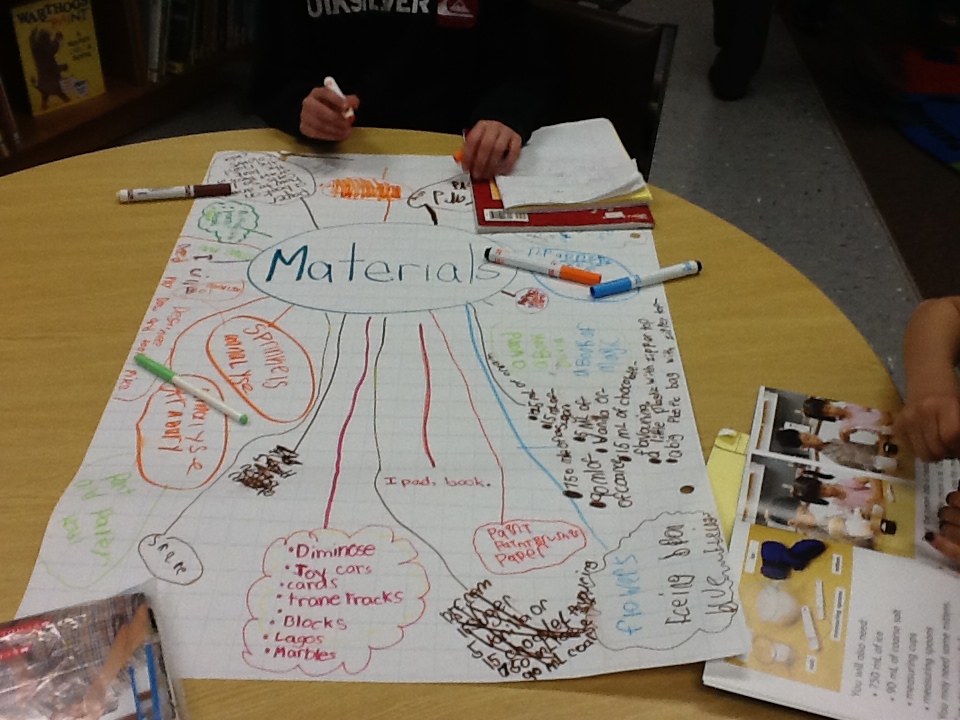
When I first introduced genius hour, we did a lot of wondering and coming up with questions.  I ran into some problems at the beginning because my grade 1 and 2 students were coming up with questions that we could answer in about 2 minutes by googling it.  We then talked about coming up with "meatier" questions and we talked about how they would create a final project to share with the class at the end of the inquiry.  Joy Kirr has put together a fantastic Livebinder resource for genius hour with resources for teachers and videos to show your students explaining genius hour here.  Students then started brainstorming what they wanted to learn about.  We then hung up all of the wonder and idea posters and tried to group the students into similar groupings.  My teaching partner and I needed to do this due to the age of our students.  We knew that all of the groups would need an adult to help supervise each group.  We grouped them into the following groups:  book making, building, knitting, baking/cooking, and painting/sculpture.  We recruited our vice principal, 2 DSW's and my teaching partner and I to facilitate the groups.  We also had the students write down what materials they would like for their projects.  We told them, it was more like a wish list and that we would do what we could to get as many of the materials on the list. 


Students were also asked to write out their inquiry question, their plan, the materials they would need and an idea on how they would present their learning to the class.

Letting Them Loose

Last Friday, we put them into their groups for the first time to plan and research.  The knitting group learned the basics of knitting.


The students that wanted to learn about a certain animal or topic started to do their researching in the library.


Some students started watching videos on youtube.  This student is learning how to do different magic tricks. I love how she is taking notes!


Reactions From The Students

At the end of the day on Friday, (genius hour is the last hour of the day on Fridays) my students were groaning that they had to go home.  They were just getting started and were so excited!  I had many question if they could take their research home, and the library books they checked out.  I also had many of them ask if they would be given time to work on their projects on Monday.  

Reflections

I have been doing a lot of thinking about what I want my classroom to look like and how I want it to run next year.  Is it possible to have a "genius curriculum" most of the day instead of having it one hour a week?  Could I cover the curriculum I need to cover in this way?  Could I physically do it by myself?  My students are so young that they need a lot of guidance and help.  However, I have grade 1 students thinking critically about their chosen projects, researching above a typical grade 1 level and asking if they can do it for homework!  This past weekend, I ordered a few more inquiry books from amazon so I can continue my professional learning in this area, and start playing with the idea of expanding genius hour to possibly an hour a day or more.  I would love to hear your thoughts on the topic.